 macOS App
Settings
Every item in the Settings window (⌘,), in the order the app shows them.
Open Settings from the menu bar: Otonota > Settings… (⌘,). Settings can’t be opened while recording.
General
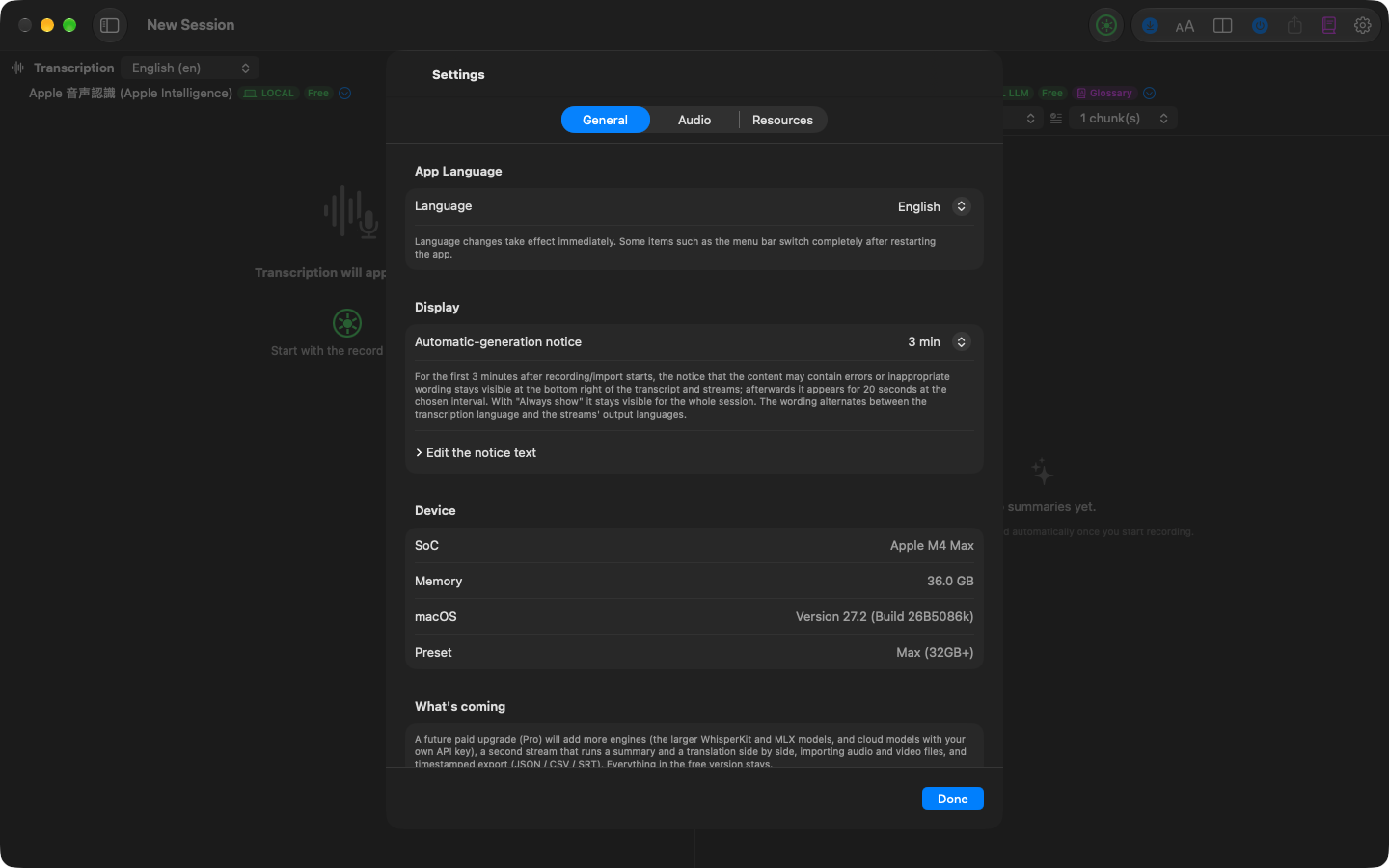
App language — the interface language: “Match system” or one of 22 languages. Takes effect immediately; a few items such as the menu bar switch fully after a relaunch.
Machine-generated notice — how often the notice appears at the bottom right of the transcript and summary: never, always, or every 1 / 3 / 5 / 10 minutes. For the first three minutes it’s shown regardless. The wording can be edited per language.
Device — the detected SoC, memory, macOS version, and preset.
Pro — what Pro adds, and the one-time in-app purchase. Not shown once Pro is unlocked.
Audio
Input device — which microphone to use. “System default” follows the macOS Sound settings.
Audio source — microphone only, system audio only, or microphone + system audio (both mixed into one track). System audio uses ScreenCaptureKit and asks for Screen & System Audio Recording permission the first time. Takes effect from the next recording.
Cloud Pro
This tab appears once Pro is purchased. API keys for OpenAI, Google, and Anthropic. Keys are stored in the macOS Keychain (this Mac only, no iCloud sync). API usage is billed to your own account.
Resources
Memory budget — the estimated peak when the selected transcription and summary engines run at once, against the Mac’s memory. Warns if it may not fit.
Usage (approximate) — cumulative time and tokens per engine. Token counts differ by engine, and engines that don’t report them are estimated from character counts. Check cloud billing in each provider’s console. “Reset” zeroes the totals (recording and summary history is untouched).
In the summary pane header
Not in Settings, but at the top of the summary pane:
- Mode — Short summary / Conversational summary / Keywords / Translation, plus your own
- Window — how many recent segments go into one summary
- Output language
- Engine name — click to open the picker
In the transcript pane header
- Engine name — click to open the picker
- Language — the transcription language
- Level meter and auto gain